Remember the people,
not just the tasks.
Task follow-up & reminders between people — simple, transparent, and private.
TaskFup connects your tasks to the people who matter most. Personal reminders, shared tasks with direct assignment, meeting calendar sync, and call follow-ups — all in one private app.
Fast capture in under 10 seconds — by voice or text
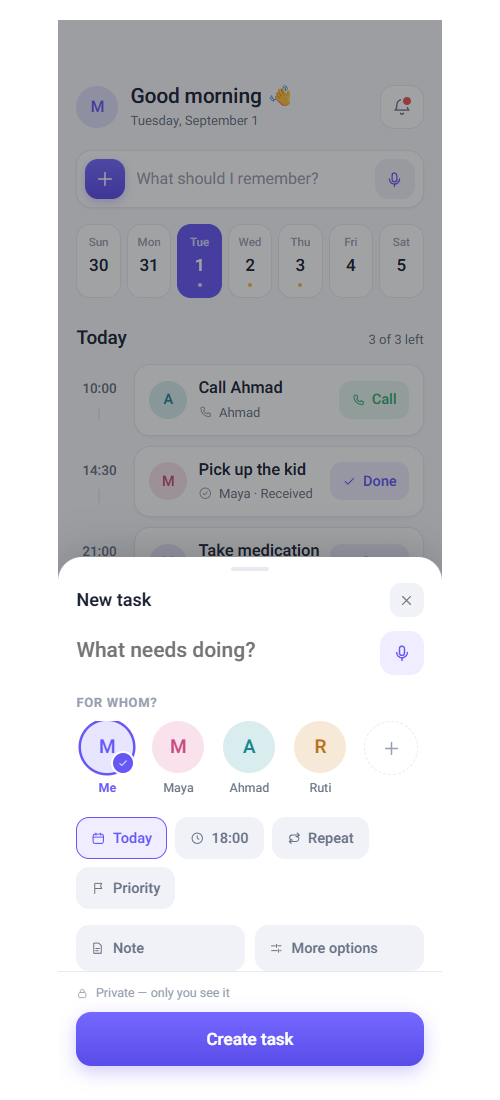
Every task begins with a quick thought. In TaskFup, capturing a reminder takes under 10 seconds — via voice or quick text. The app parses dates, times, and priorities, keeping them strictly private by default.
- Smart voice capture with automatic date and time detection
- Private by default: only you can view your personal items
- Local-first SQLite architecture — works instantly without cell reception
Tasks that connect people, not isolated boards
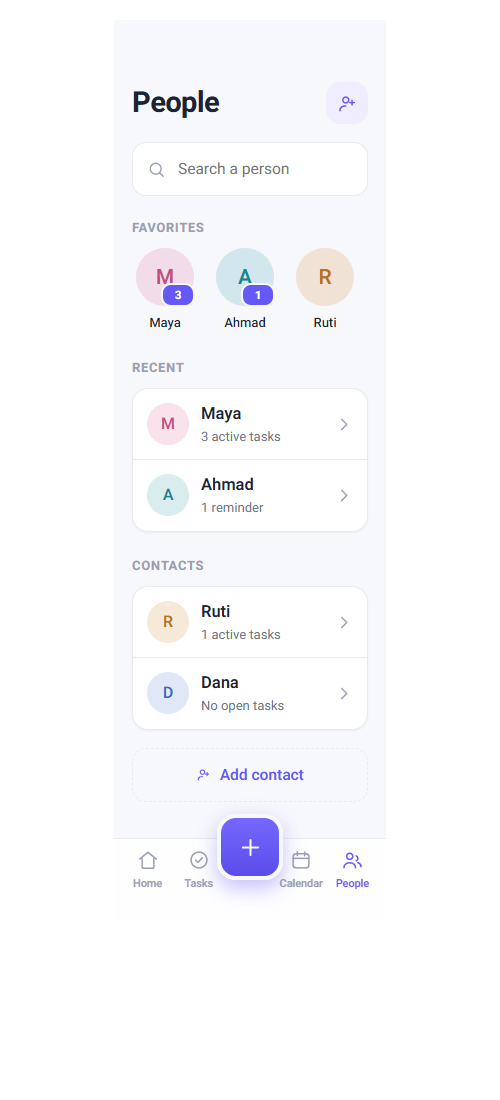
Instead of cluttered enterprise boards and anonymous lists, every shared task is anchored to a real relationship. Assign tasks to a partner, colleague, or friend, with mutual visibility, gentle nudges, and zero micromanagement.
- Direct assignment to contacts with accept and completion states
- Dedicated relationship views: Waiting on Others vs. Mine
- Gentle poke reminder protected against spam (max once per 4 hours)
Seamless calendar sync and clean agenda timeline
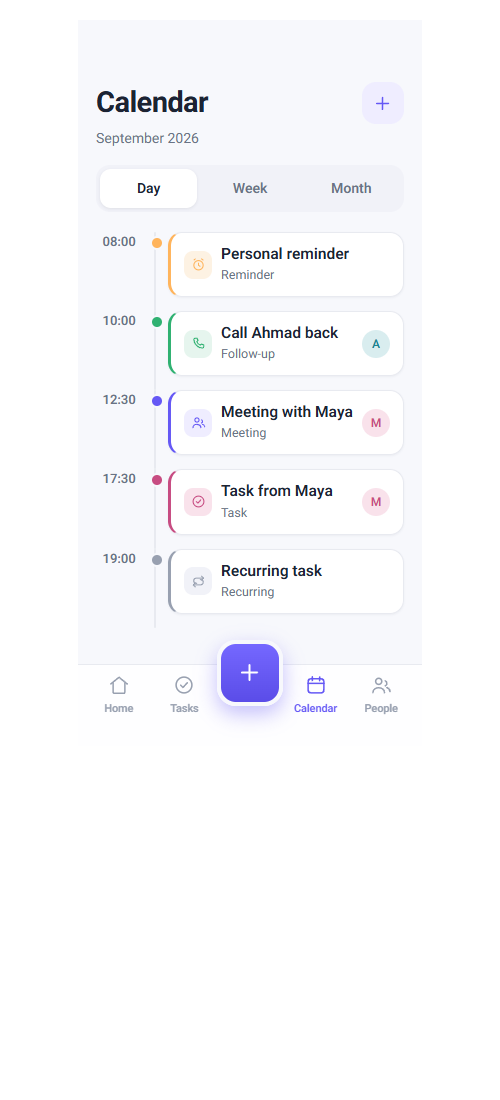
Your scheduled commitments and meetings appear on a clean daily timeline, seamlessly synced with your device calendar. Add participants, set locations and smart advance reminders, with day, week, and month views.
- Silent two-way sync with device calendars (Google & Apple Calendar)
- Intuitive daily agenda timeline with color-coded status indicators
- Multi-participant invites and real-time meeting updates
Promises made on phone calls never slip through
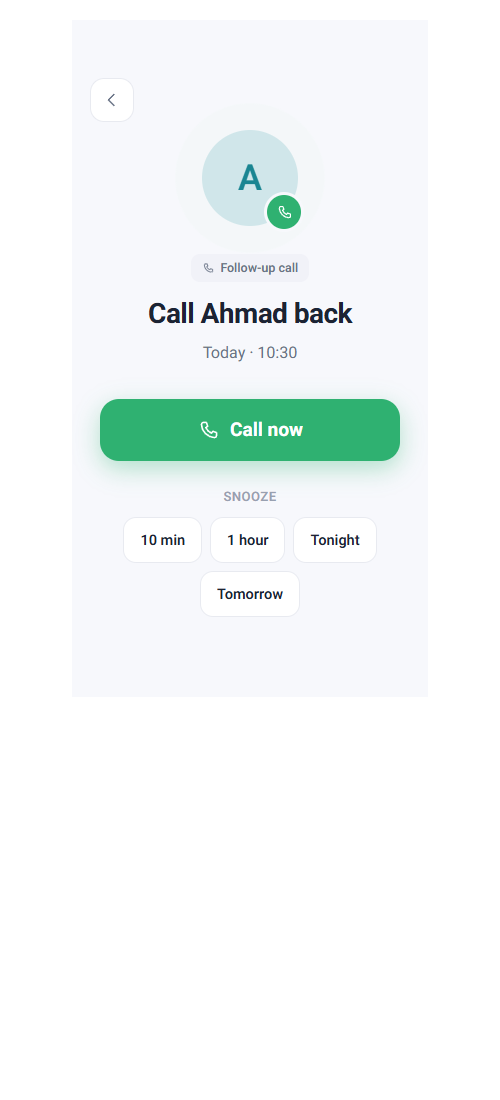
Just finished an important phone call? TaskFup prompts you to create a follow-up action right away. The Call Now action initiates the dialer immediately, while smart snooze presets (10 min, 1 hour, tonight, tomorrow) keep you on track.
- Direct one-tap dialer launch right from the follow-up card
- Smart contextual snooze presets: Tonight, Tomorrow, or 1 Hour
- Call follow-up history attached to each person's relationship profile
Ready to remember the people, not just the tasks?
Download the Android beta APK today, or join our waitlist to get notified the moment the iOS version launches on the App Store.
Android App
Direct install for your Android device. Complete v0.1.0 release with all core features: personal reminders, shared tasks, calendar sync, and call follow-ups.
fcbfe18792ff8329987087c9d71f60e022119d47831cc3e635ff0c8cde213812 Installation Instructions (Allowing Unknown Apps)
- Click the download button above to download the APK file.
- Once downloaded, tap the file in your notification drawer or open your device "Downloads" folder.
- If Android prompts a warning about installing from unknown sources, tap "Settings".
- Turn on "Allow from this source", navigate back, and tap "Install".
TaskFup contains zero ads and zero third-party trackers. The security prompt is standard Android behavior when installing outside Google Play.
iOS Waitlist
The iPhone app is in final review preparations for the App Store. Enter your email and we'll notify you the moment it is ready to download.